Pi-hole
1-Click installation template for Pi-hole on Easypanel
Description
Pi-hole is a network-wide ad blocker that acts as a DNS sinkhole to protect your devices from unwanted content without installing any client-side software. It blocks ads at the DNS level, meaning ads are blocked before they even reach your devices, resulting in faster browsing, reduced bandwidth usage, and enhanced privacy. Pi-hole provides a powerful web interface for easy management and detailed statistics about your network's DNS queries. It can block millions of ad-serving domains and supports custom block lists. The application also includes features like DHCP server capabilities, DNS-over-HTTPS (DoH) support, and comprehensive query logging. With Pi-hole, you can monitor all DNS requests on your network, see which domains are being blocked, and maintain complete control over your network's DNS filtering.
Instructions
After the deployment of the Pi-Hole Service, it might not start straight away, you have to stop the systemd-resolved.service, or service which would be occupying the DNS port 53, make sure you also disable that so it doesn't starts on boot.
Benefits
- Network-Wide Ad Blocking: Pi-hole blocks ads at the DNS level for all devices on your network without requiring any client-side software installation.
- Faster Browsing Experience: By blocking ads before they load, Pi-hole reduces bandwidth usage and speeds up page loading times across all your devices.
- Enhanced Privacy Protection: Pi-hole blocks tracking domains and prevents third-party services from collecting data about your browsing habits and online activities.
- Comprehensive Network Monitoring: Monitor all DNS queries on your network with detailed statistics and logs, giving you complete visibility into network activity.
Features
- DNS-Level Ad Blocking: Pi-hole intercepts DNS requests and blocks domains known for serving ads, trackers, and malicious content before they reach your devices.
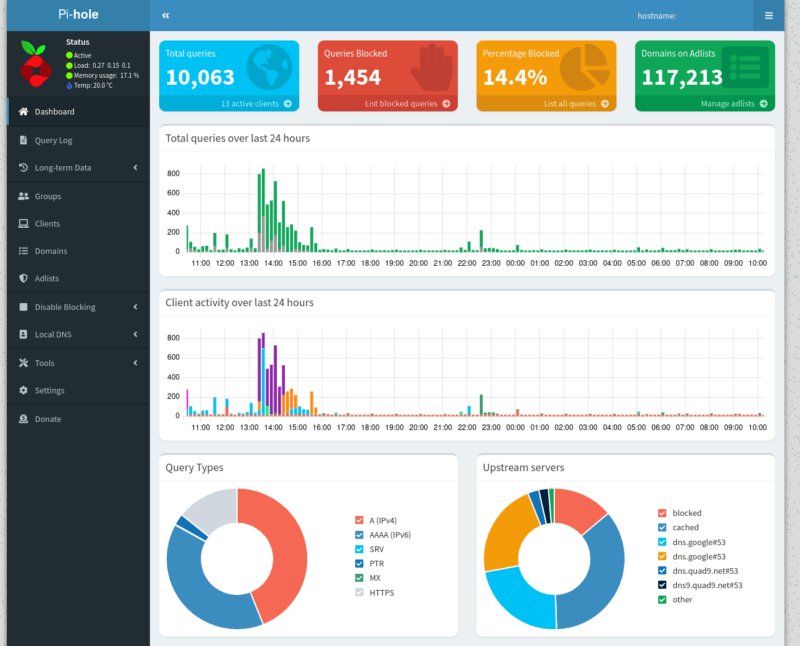
- Intuitive Web Interface: Manage your Pi-hole installation through a user-friendly web interface with real-time statistics, query logs, and configuration options.
- Custom Block Lists: Add custom block lists and whitelist specific domains to tailor the filtering to your specific needs and preferences.
- DHCP Server Support: Pi-hole includes a built-in DHCP server that can replace your router's DHCP server for seamless network integration.
- Query Logging and Analytics: View detailed logs of all DNS queries, see which domains are being blocked, and analyze your network's DNS traffic patterns.
Links
Options
| Name | Description | Required | Default Value |
|---|---|---|---|
| App Service Name | - | yes | pihole |
| App Service Image | - | yes | pihole/pihole:2024.07.0 |
| Timezone | - | yes | Europe/Vienna |
| Web Password | - | no | webPassword!@#123 |
Screenshots
Change Log
- 2025-11-03 – First Release